
Smart CAN Tool · Android · CANable
The mobile edition of Smart CAN Tool 3 for work at the vehicle and on the bench, when the laptop is out of reach. An Android phone and a CANable interface are enough to watch bus traffic, record it, send your own frames or replay an earlier log.
Android 8.0+ · CANable (gs_usb) via USB-OTG · 1 CAN channel · recordings compatible with Smart CAN Tool 3
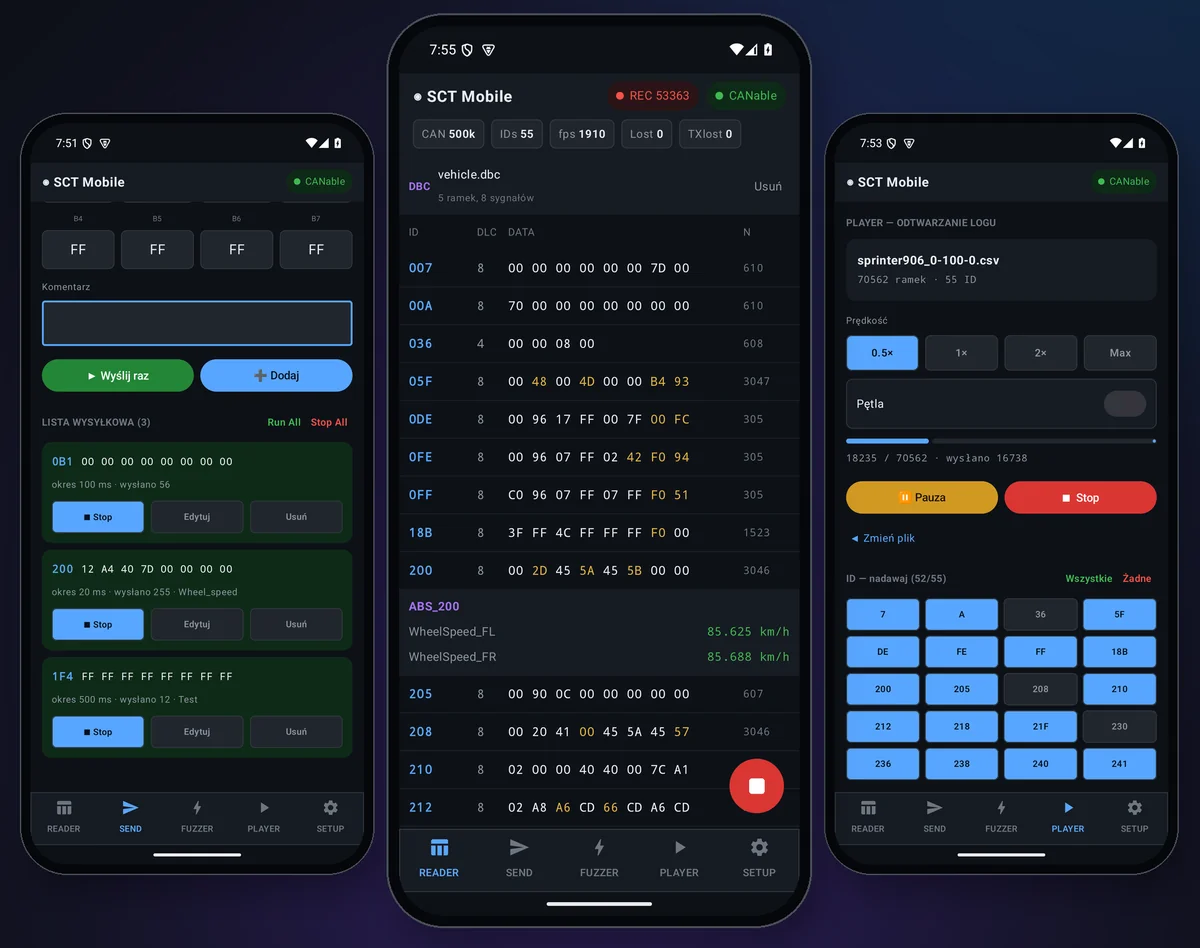
Tabs
One CAN channel (classic CAN, 11- and 29-bit frames) at 125, 250, 500 and 1000 kbit/s.
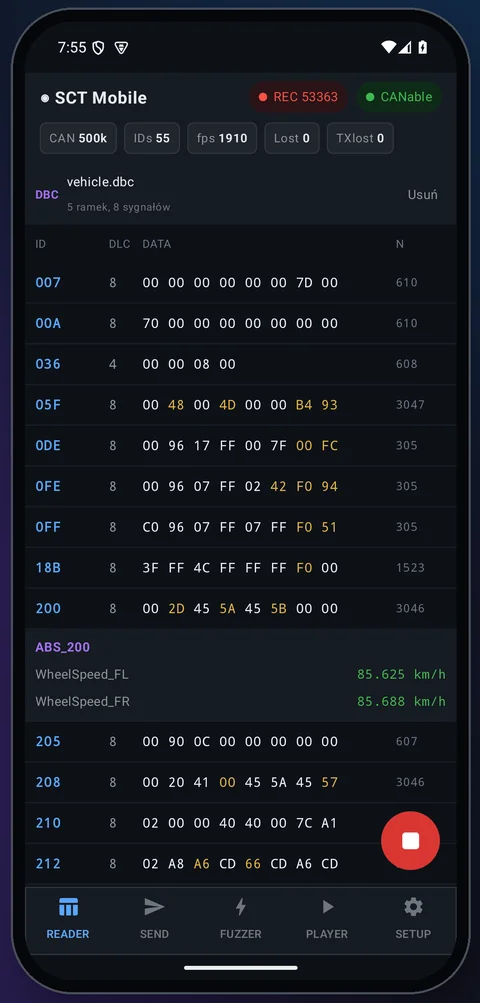
Live frame list with changed bytes highlighted, frame counter, number of IDs and frames per second. Recording to a CSV file in the Smart CAN Tool 3 format. Signal decoding from a DBC file: the message name and signal values appear under the frame; tap to expand the full list.
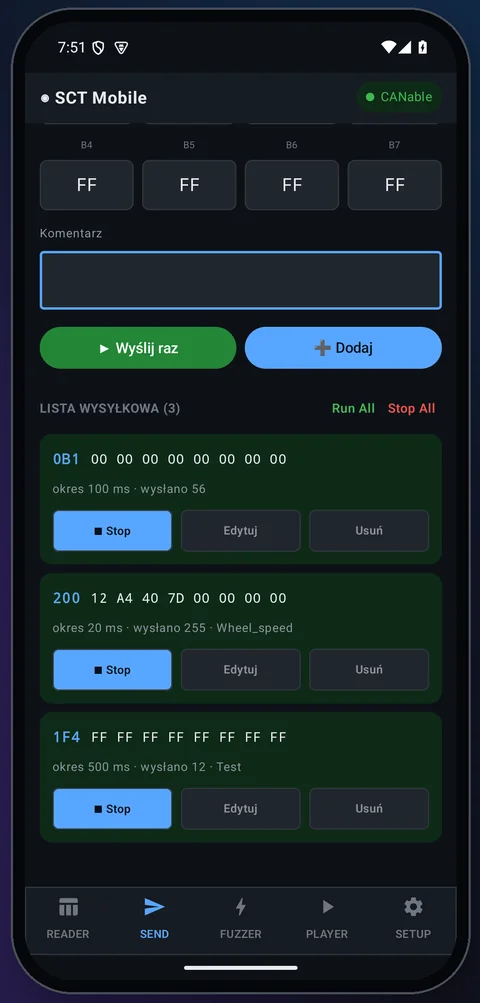
Single-frame transmit and a TX list: multiple cyclic frames, each with its own ID, data, period and comment. Run them one by one or all at once. The list is remembered.
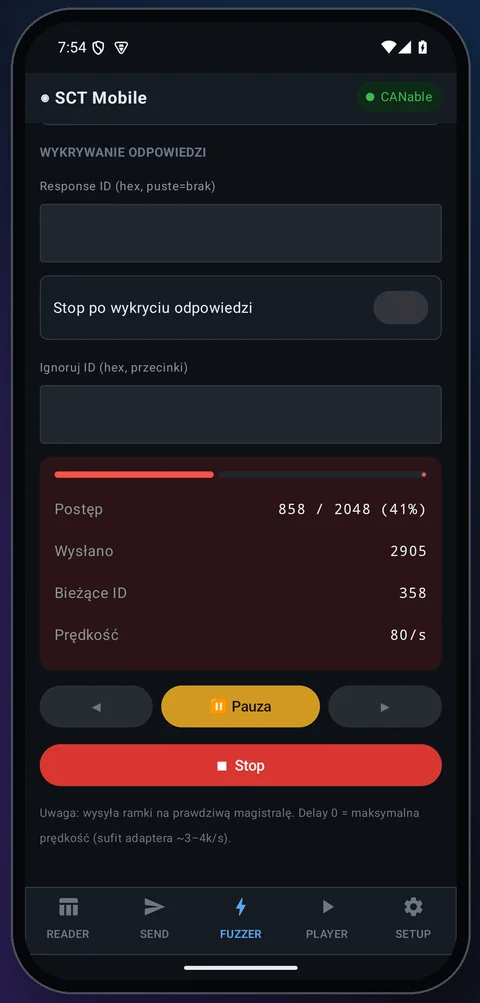
ID Range and Data Sweep modes, step, DLC, delay, loop. CRC checksum, counter, parity, response detection with stop on detection and an ignored-ID list. Pause and step-by-step control.
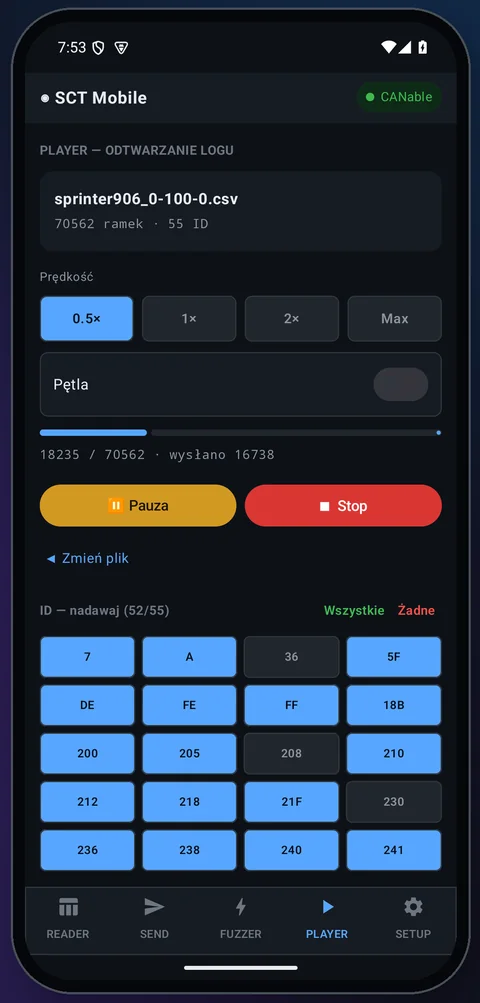
Playback of CSV recordings, your own and from Smart CAN Tool 3, at 0.5×, 1×, 2× or maximum speed, looped or once. Individual IDs can be switched on and off. Share and delete recordings.
SETUP — interface and bit-rate selection, licence, language and updates. Languages: Polish, English, German, Spanish, French, Italian, Ukrainian, Russian, plus automatic mode.
Licence
You can install and try the app without a key. DEMO mode gives you READER (frame view, without recording and DBC) and SETUP — enough to confirm that your phone and interface work together. A key unlocks everything else.
SCT Mobile is free for you. In the SETUP tab enter your existing licence key and the e-mail address used for the purchase — there is nothing more to buy.
Requirements and installation
A tool for workshops, electronics engineers and anyone analysing the CAN bus — for diagnostics, R&D and bench testing. Sending frames onto the bus can disturb the vehicle's ECUs: use SEND, FUZZER and PLAYER only with the vehicle stationary or on the bench.
A licence for the app on your phone. The full Windows edition, with MITM, emulator and three CAN channels, is Smart CAN Tool 3.
Buy in the shop