
CAN-Bridge · converter · analog → CAN
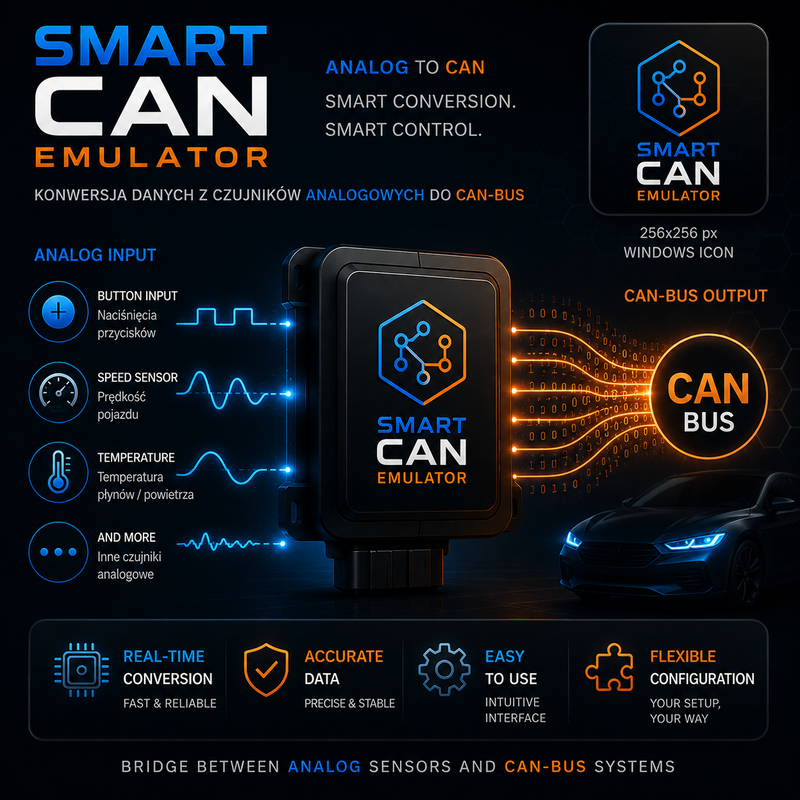
A universal bridge between the analog world and the CAN bus. It turns buttons, speed sensors (Hall), temperature sensors (NTC) and other analog signals into ready CAN bus frames — fully configurable from a PC app.
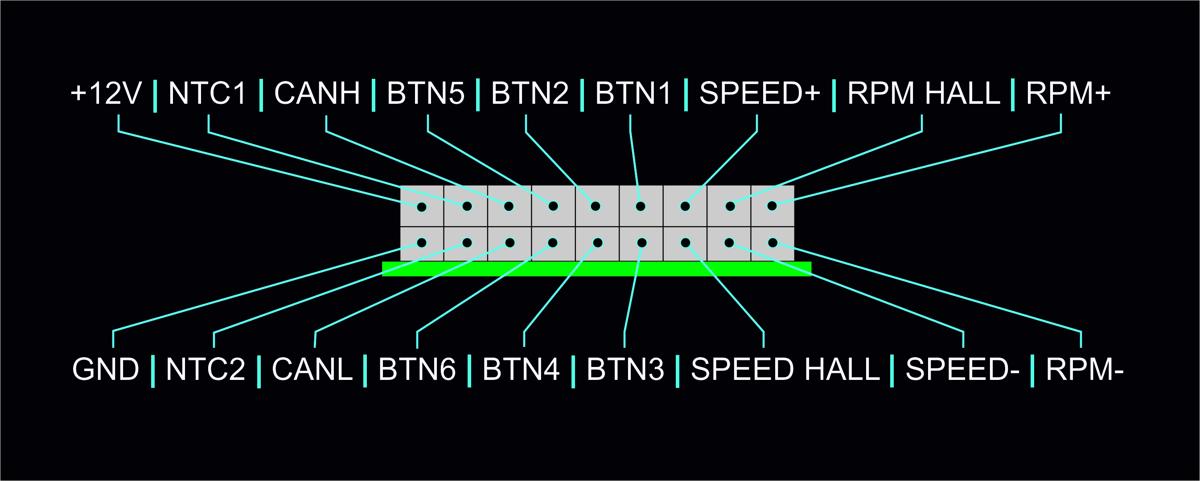
Up to 11 CAN messages · 5 digital inputs · resistor ladder · 2× NTC · 2× Hall · configuration via USB / COM · SmartCANBridge_Setup.exe
Description
The SMART-CAN Bridge is a universal converter that reads signals from the analog world — buttons, Hall speed sensors, NTC thermistors and other inputs — and places them as ready values in CAN bus frames. This lets one circuit bring any physical signal into the digital bus of a vehicle or machine.
The device handles up to 11 independent CAN messages (MSG1–MSG11), each with its own ID, data, transmit interval and automatic CRC-8 checksum (SAE J1850 or a custom algorithm), two counters and a parity bit. Each physical input maps to selected frame bits, with scaling and offset — for example the Mercedes temperature format (value + 40).
Configuration is done from a PC app (USB / COM port connection). Settings are stored in the device's non-volatile memory and kept after power is removed. The whole configuration can be exported to a .json file and moved to another device.
Supported inputs
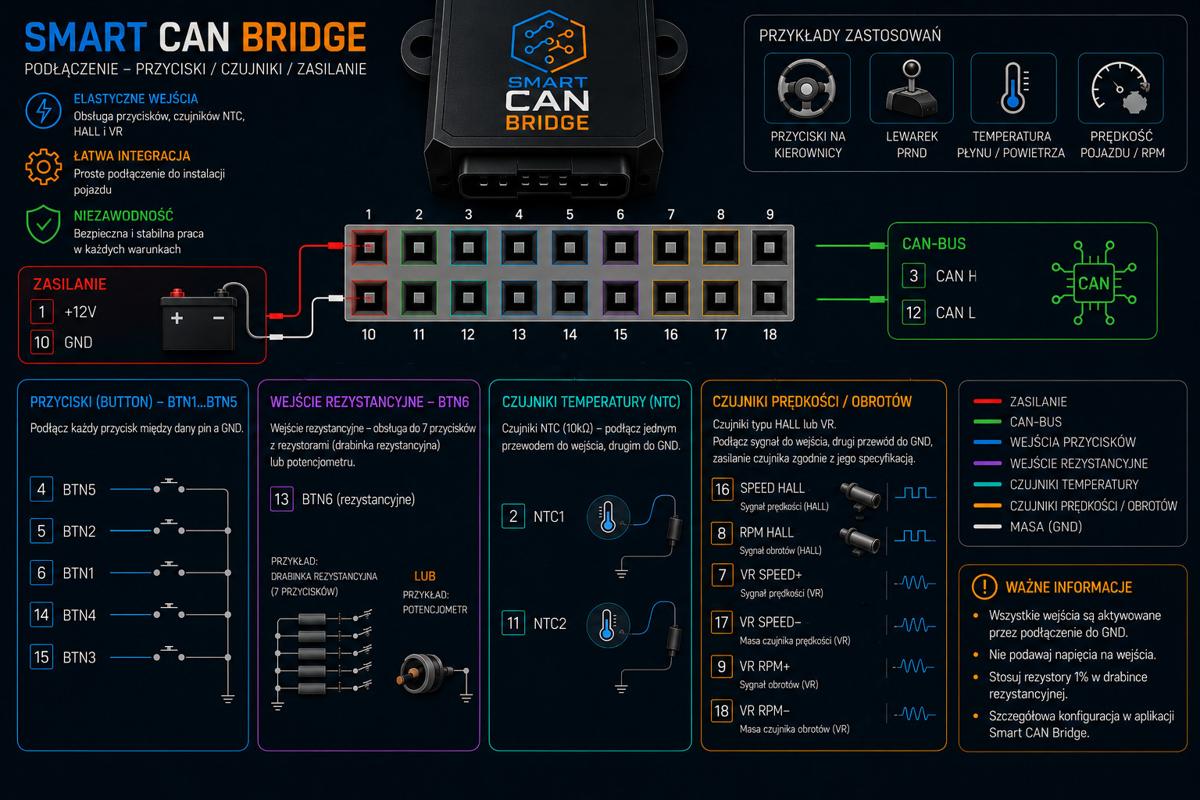
5 digital inputs (button, relay, 0/3.3 V signal). SHOT or LOOP mode, Min/Max values written to the frame on release and press.
Reads resistance from 7 resistor-buttons or a potentiometer. Each R range → a CAN value. Ideal for a PRND +/− selector and a multifunction steering wheel.
Temperature measurement from an NTC sensor. 10K/100K presets (Beta 3950/3435/4190) or Custom, an ADC → temperature LUT generator.
Measures speed or RPM from a Hall sensor. Pulses/rev, wheel circumference, conversion to km/h, mph, RPM or Hz, dual mapping in the frame.
MSG6 / BTN6 — resistor ladder
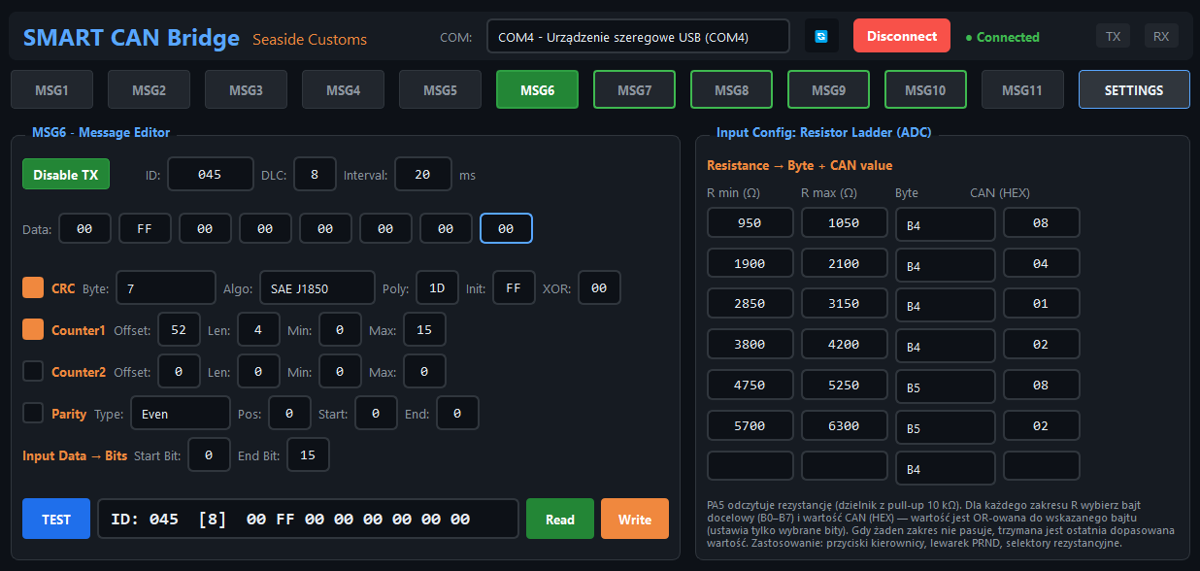
The MSG6 input works differently from the other buttons — instead of a simple 0/1 signal it reads resistance through a voltage divider formed with a fixed pull-up resistor (10 kΩ) on pin PA5. This lets it handle up to 7 resistor-buttons on one line (a resistor ladder) or a potentiometer.
Each resistance range (R min – R max) is assigned a CAN value in HEX. When the measured resistance falls within a range, that value is written to the frame according to the set Start/End Bit. When no range matches, the last matched value is held.
This lets a single input connect e.g. an automatic-gearbox selector (P-R-N-D and +/−) or multifunction steering-wheel buttons — typical uses are resistive selectors, encoders and resistive joysticks.
By default 7 buttons are programmed with 1–7 kΩ resistors (in 1 kΩ steps), each with a ±5% margin and an assigned CAN value. These values can be freely changed in the app.
Default ladder values (10 kΩ pull-up)
| # | Resistor | R min (Ω) | R max (Ω) | CAN value |
|---|---|---|---|---|
| 1 | ~1 kΩ | 950 | 1050 | 0x08 |
| 2 | ~2 kΩ | 1900 | 2100 | 0x07 |
| 3 | ~3 kΩ | 2850 | 3150 | 0x06 |
| 4 | ~4 kΩ | 3800 | 4200 | 0x05 |
| 5 | ~5 kΩ | 4750 | 5250 | 0x1A |
| 6 | ~6 kΩ | 5700 | 6300 | 0x1B |
| 7 | ~7 kΩ | 6650 | 7350 | 0x1C |
Key features
Each with its own ID, data, interval and send limit, configured independently.
Automatic calculation: SAE J1850 (poly=1D, init=FF, xor=FF) or a custom algorithm.
Two independent counters written to selected bits plus an automatic parity bit (Even/Odd).
The input value written to any range of frame bits, with scaling, offset and a Big/Little Endian choice.
Configuration over USB / COM port, live frame preview, a TEST button that works without a device connected.
Settings in non-volatile memory, export/import of the whole configuration to a .json file.
Full guide (PDF):
Legal notice
The SMART-CAN Bridge is an electronic device intended solely for motorsport use, on closed tracks, for off-road, research-and-development purposes and as a diagnostic tool and component tester on a workshop bench. The product has no road homologation and is not intended for installation or use in vehicles operating on public roads. Installing or using the device in a road-legal vehicle may breach applicable regulations and void the vehicle's homologation. Responsibility for the manner of use, installation and compliance with local regulations rests solely with the user. The manufacturer accepts no liability for any damage, loss or legal consequences arising from misuse or use other than intended.