
CAN-Bridge · CAN bridge · 7G-Tronic gearbox
A controller-bridge that lets you use the Mercedes 7G-Tronic automatic gearbox (VGS / NAG2) outside its home vehicle. It generates the full CAN communication the gearbox controller requires, so the 722.9 runs in any swap — from a classic to a custom build. Inputs from analog signals or the donor CAN bus; configuration, live view and updates from a Windows app.
What it does
The bridge translates the vehicle's signals into correct frames controlling gears, the P/N lock, kick-down and the selector position. With the same adapter you use to configure it, you also get VGS controller service — without a separate diagnostic interface.
Control from analog signals (potentiometer, switches, sensors) or directly from the donor vehicle's CAN bus. A mixed mode when some values are on the bus and some must be added with a sensor.
Generating all the frames the VGS / NAG2 controller expects from the rest of the car — RPM, torque, speed, brake, kick-down, selector. The gearbox doesn't know it's outside a Mercedes.
Live reading of gearbox status and ATF oil temperature, signalling of communication faults between the bridge and the controller.
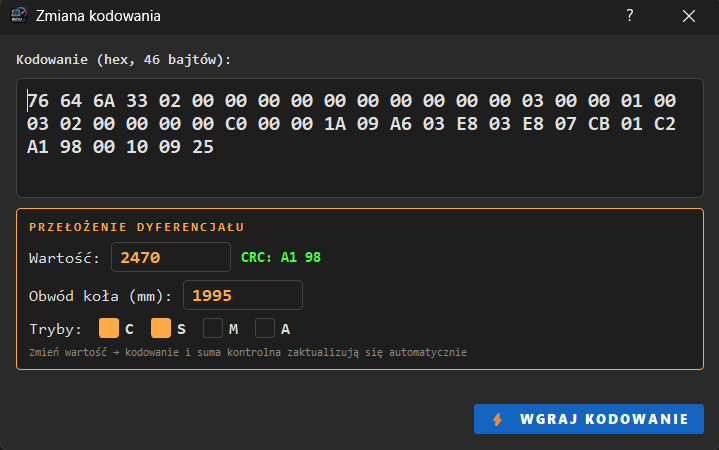
Changing the differential ratio, wheel circumference and gearbox operating modes directly from the app. The coding checksum is calculated automatically.
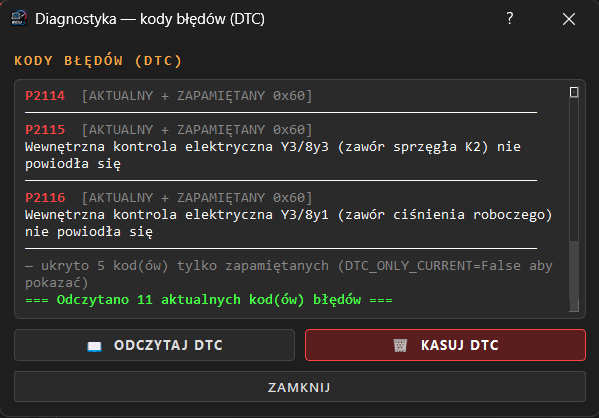
VGS controller fault memory with code descriptions in Polish, telling current from stored codes, cleared with one button.
Neutralising the FBS3 immobiliser lock in the VGS controller, so the gearbox runs outside its home vehicle, without the original EIS set and keys.
Windows app
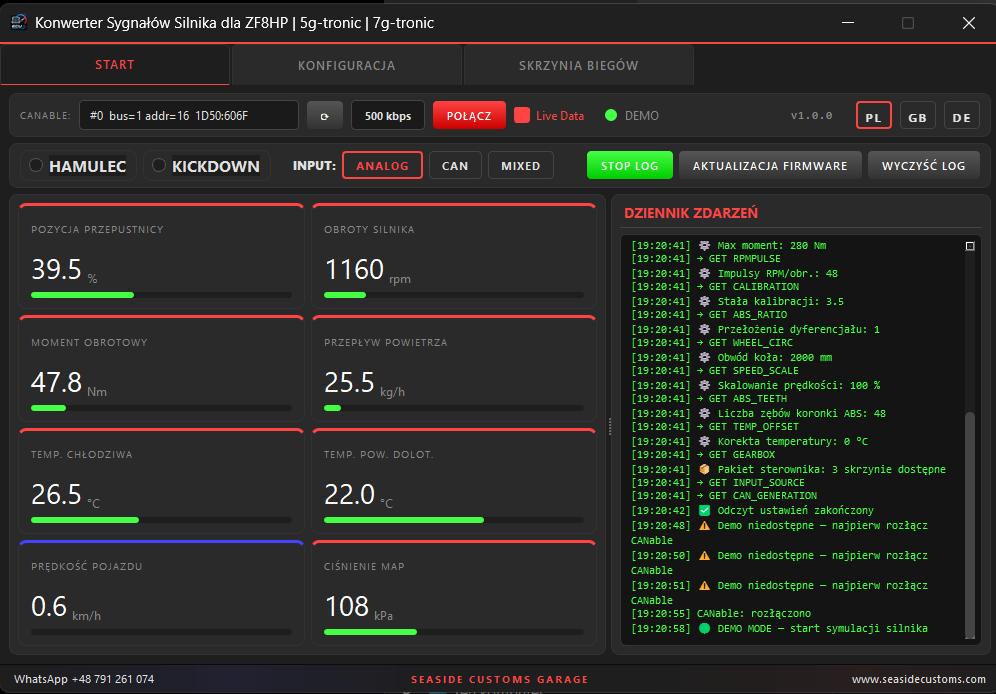
A Windows app comes with the controller. It connects to the module through a CANable 1.0 adapter (candlelight / gs_usb) and gives full control over the configuration without dismantling the installation — all over the same CAN bus.
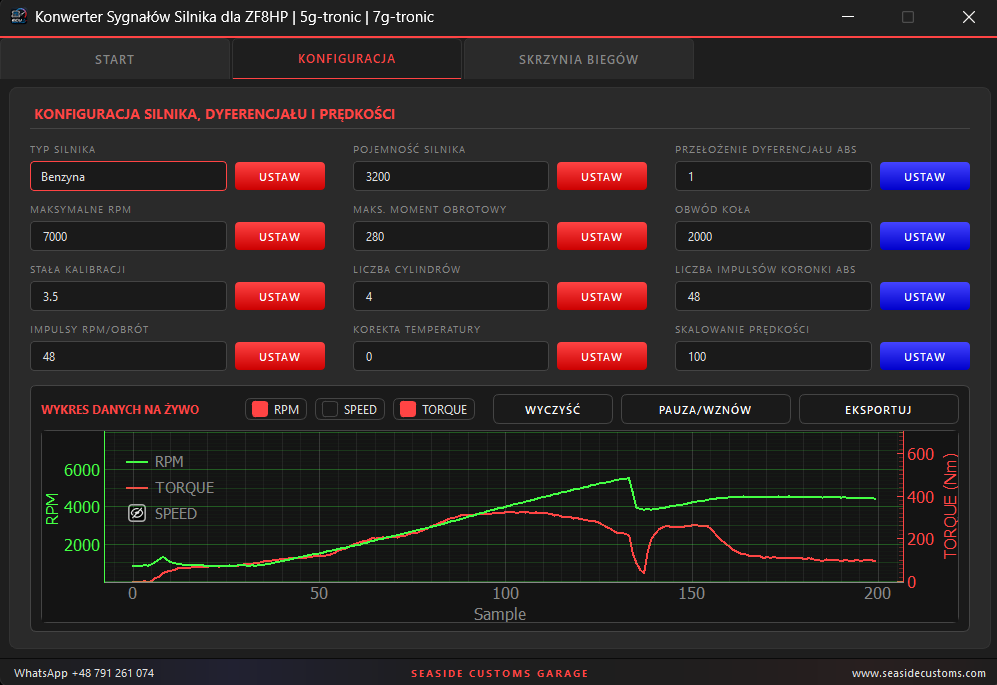
The START tab shows live data: engine RPM, torque, vehicle speed, MAP pressure, coolant and intake-air temperature, and brake and kick-down state. In the CONFIGURATION tab you set vehicle parameters, and in GEARBOX you use the controller's service functions.
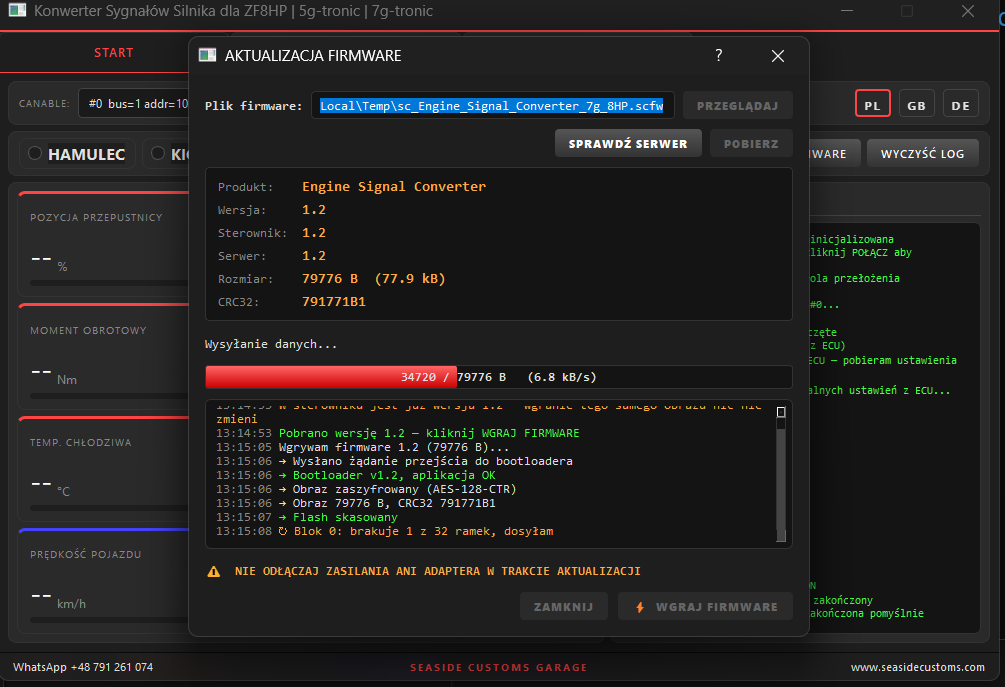
The controller software updates from within the app, over the same CAN bus. No programmer, no removing the module from the installation, no sending it back to us. The app itself checks whether a newer version is on the server and shows it next to the version installed in the controller. Flashinging is one click and a few seconds. The image is encrypted and, after writing, verified by checksum — an interrupted transfer won't damage the module, just repeat it.
Configurable parameters
All settings are saved in the controller's memory and survive power loss and a software update.
| Parameter | Why |
|---|---|
| Engine type, displacement, cylinder count | torque-curve selection |
| Maximum RPM and torque | gearbox operating range |
| RPM pulses per revolution, calibration constant | matched to the reluctor |
| Differential ratio, wheel circumference | speed calculation |
| ABS reluctor pulse count, speed scaling | compatibility with vehicle sensors |
| Temperature correction | reading calibration |
Signals from the donor vehicle's sensors and potentiometers — throttle position, temperature, RPM from a pulse pickup.
Data read straight from the base vehicle's bus, without adding sensors.
Mixed mode — some values from the bus, some from analog inputs.
Manual and pinout
Wiring, vehicle parameter configuration and the software update procedure — in the PDF guide. Below, the connector pinout.
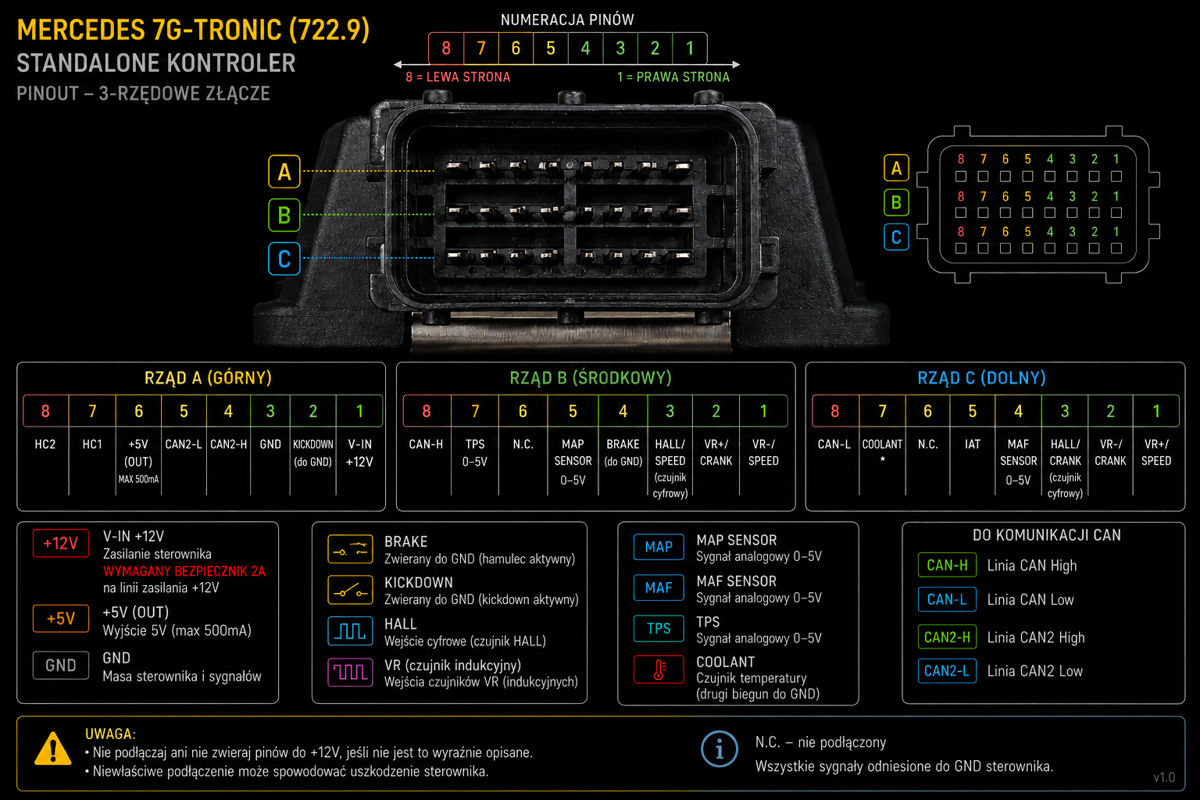
| 8 | 7 | 6 | 5 | 4 | 3 | 2 | 1 |
|---|---|---|---|---|---|---|---|
| HC2 | HC1 | +5VOUT, max 500 mA | CAN2-L | CAN2-H | GND | KICKDOWNto GND | V-IN +12V2 A fuse |
| 8 | 7 | 6 | 5 | 4 | 3 | 2 | 1 |
|---|---|---|---|---|---|---|---|
| CAN-H | TPS0–5 V | N.C. | MAP0–5 V sensor | BRAKEto GND | HALL/SPEEDdigital | VR+/CRANK | VR-/SPEED |
| 8 | 7 | 6 | 5 | 4 | 3 | 2 | 1 |
|---|---|---|---|---|---|---|---|
| CAN-L | COOLANTpole to GND | N.C. | IAT | MAF0–5 V sensor | HALL/CRANKdigital | VR-/CRANK | VR+/SPEED |
| Specifications | |
|---|---|
| Gearbox | 7G-Tronic (722.9) |
| Controller | VGS / NAG2 |
| Inputs | Analog + CAN |
| Power | 12 V |
| Bus | CAN 500 kbps |
| Configuration | Windows 10 / 11 app |
| Update | over CAN, from the app |
| Adapter | CANable 1.0 (candlelight / gs_usb) |
Parameter configuration, live data view and controller software update.
Legal notice
The VGS-Bridge is an electronic device intended solely for motorsport use, on closed tracks, for off-road, research-and-development purposes and as a diagnostic tool and component tester on a workshop bench. The product has no road homologation and is not intended for installation or use in vehicles operating on public roads. Installing or using the device in a road-legal vehicle may breach applicable regulations and void the vehicle's homologation.
Gearbox control and modifying CAN bus frames concern safety-critical systems — an incorrect configuration may cause unpredictable vehicle behaviour. The controller software update must be performed only with the vehicle stationary or on a workshop bench. Responsibility for the manner of use, installation and compliance with local regulations rests solely with the user. The manufacturer accepts no liability for any damage, loss or legal consequences arising from misuse or use other than intended.